Explore the platform —
no signup, no commitment.
Browse a live event calendar as your visitors would, or create a free organizer account to see the admin side. Take your time — we're here when you're ready to talk.
Two ways to explore Cruncho
Demo Calendar
No signup neededBrowse a fully functional event calendar — filters, search, map view, event pages, categories. This is exactly what your residents and visitors will see.
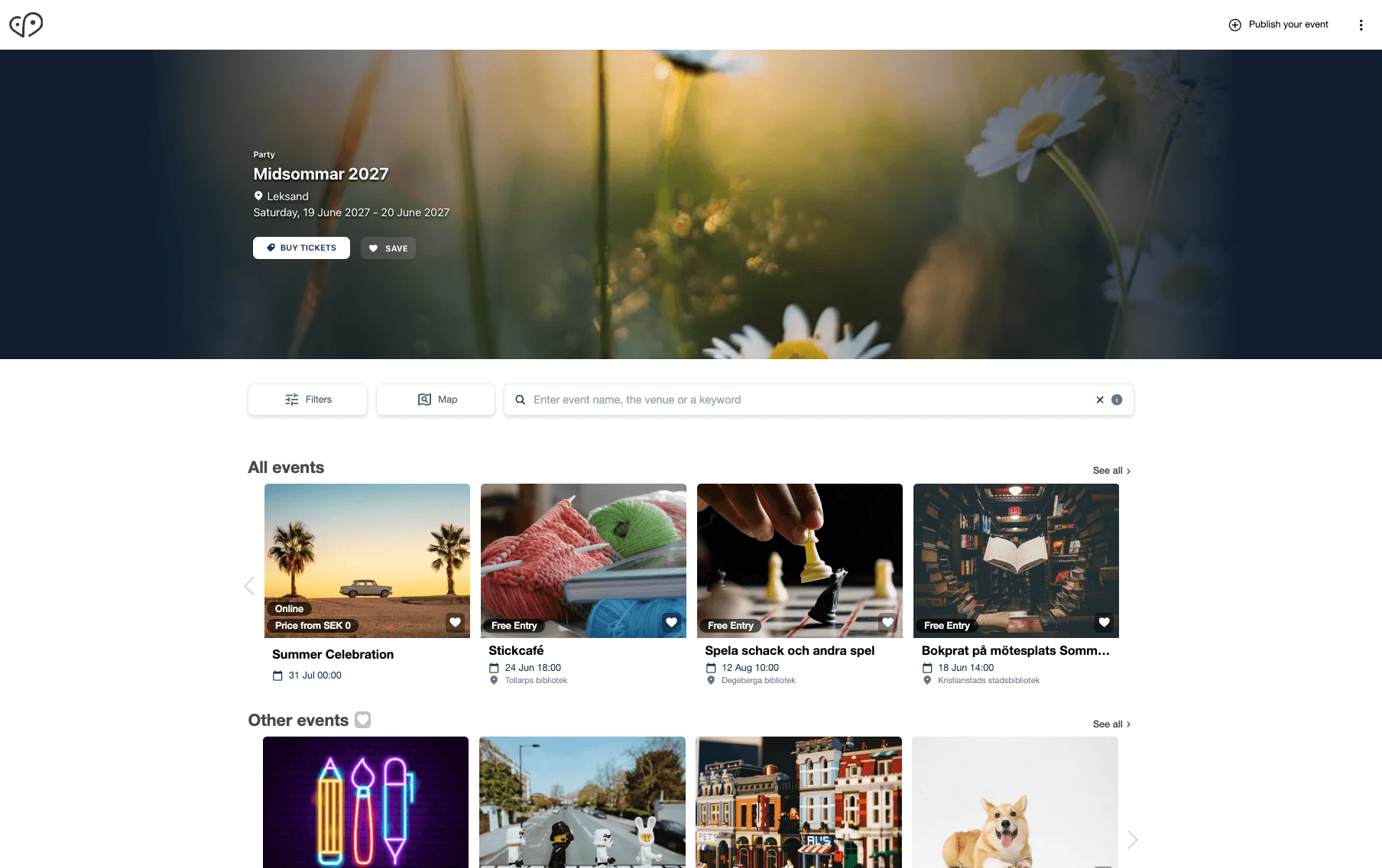
demo.cruncho.co
This demo uses our stand-alone calendar. Most clients embed it as an iFrame on their website. A third option is API integration with your own design.
Demo Event Manager
Free organizer accountCreate a free account and explore the admin dashboard — create events, upload images, set up ticketing, and see how organizers work day-to-day.
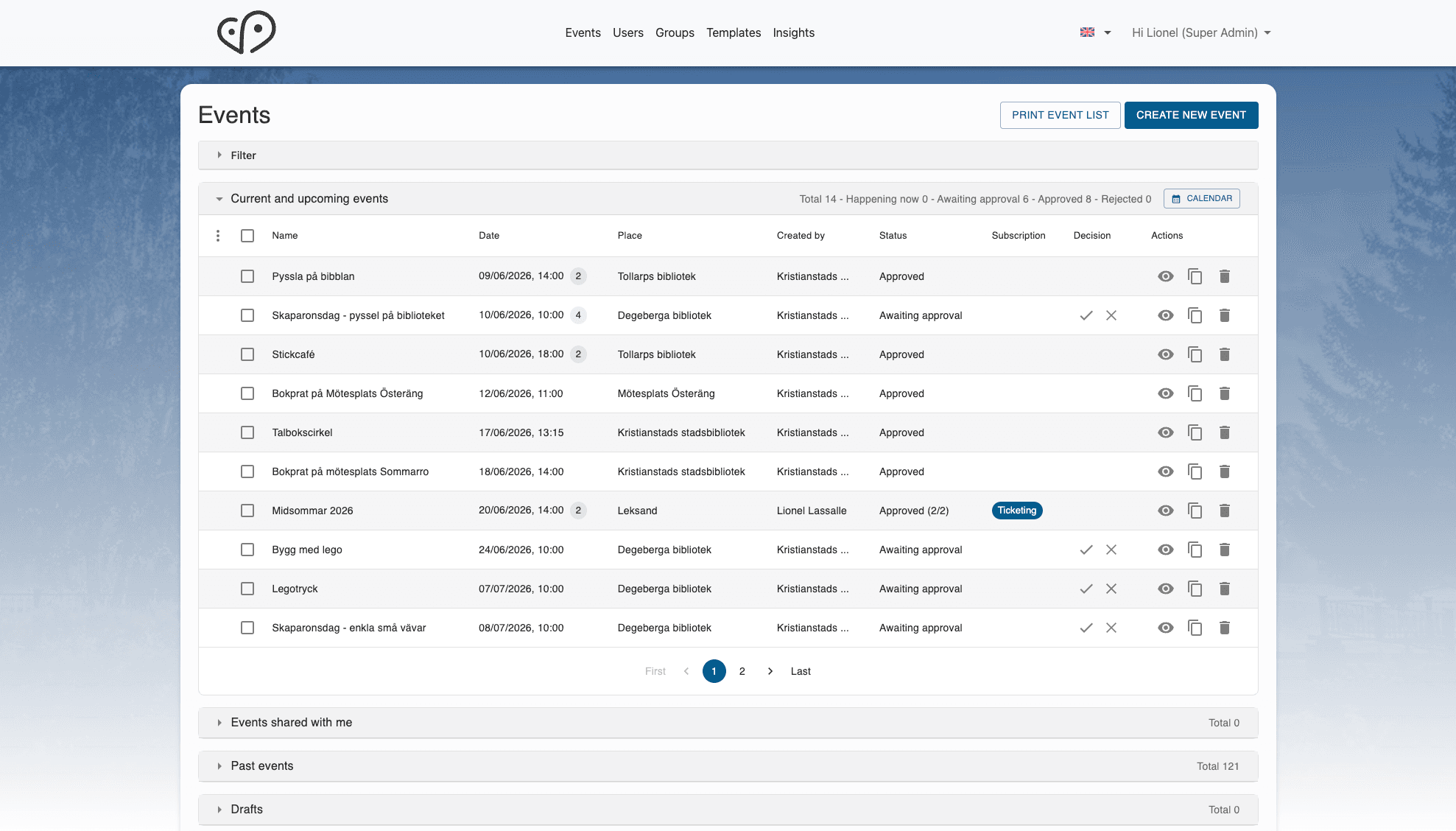
demo.eventmanager.cruncho.co
Want full admin access? Email [email protected]
Explore Cruncho as an Organizer
Title, dates, location, images, description, categories, and more.
Browse Unsplash or upload your own. Automatic cropping and compression.
Ticket types, prices, discount codes. Payments via Stripe.
Paste a Facebook event URL and auto-import the details.
See exactly how your event looks on the calendar before submitting.
Save time with reusable templates for recurring events.
Want to explore the full administrator experience?
As an administrator, you can approve and publish events directly to the demo calendar, manage all organizers, configure your calendar setup, view analytics, and customize branding — all from one place. Email [email protected] for a free admin upgrade — or book a demo and we'll walk you through it live.
Explore the Demo Calendar
Filter by category, date, or free text. See how events update instantly.
Click the map icon to see events plotted geographically.
Open an event detail page — see the full description, images, location, and ticketing.
Open demo.cruncho.co on your phone. The calendar is fully responsive.
Scroll down to see horizontal event widgets — embeddable anywhere on your site.
Colors, fonts, categories — all customizable with 100+ self-service settings.
See Cruncho in Action
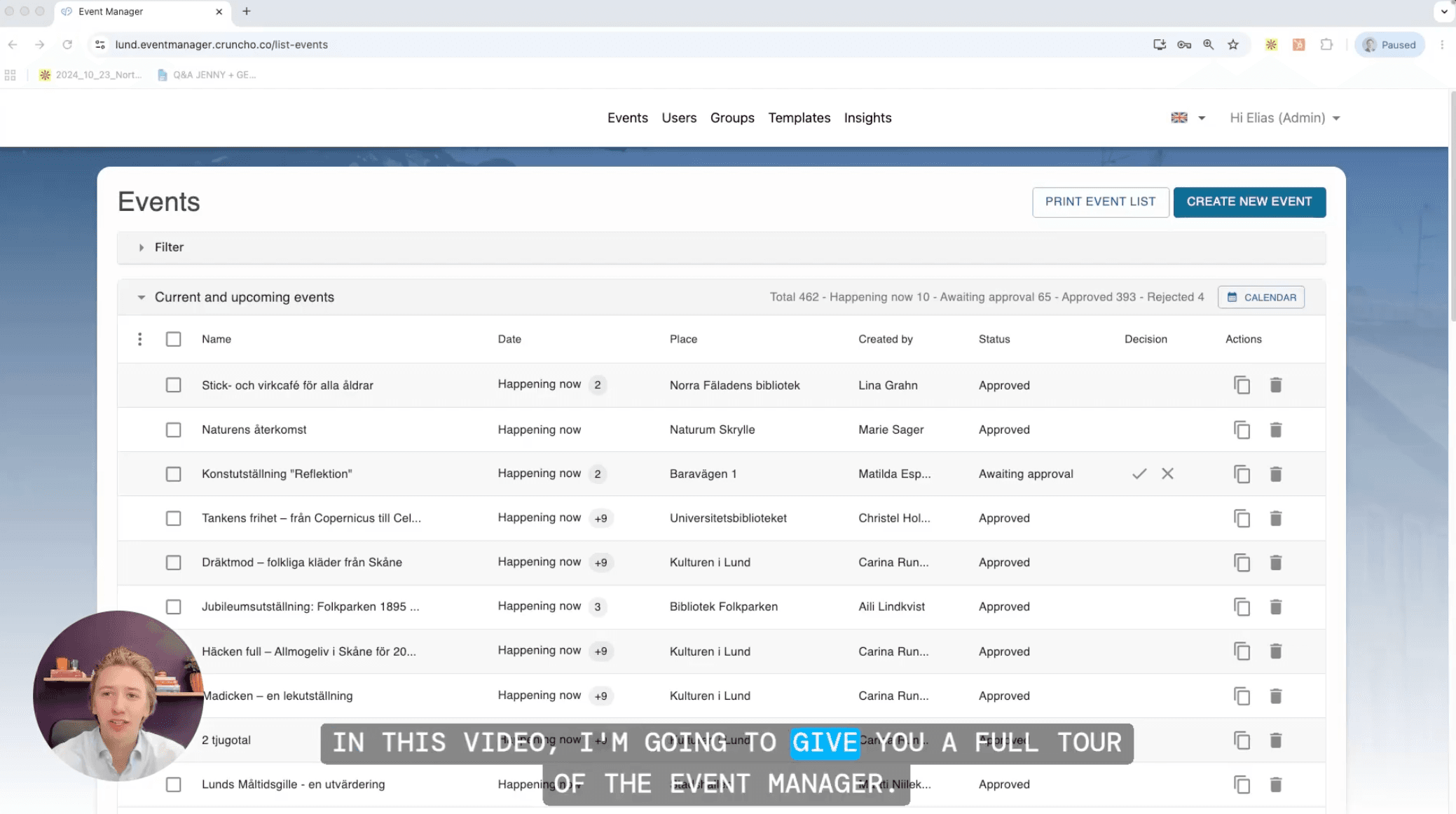
Watch the platform in action.
9 pre-recorded videos covering every part of the platform — from a 2-minute overview to a 7-minute full presentation. No signup required.
Like what you see?
Book a 45-min call and we'll show you how Cruncho looks configured for your city — with your branding, your categories, your events.
Book a demoComparing options?
Check our pricing, read how other cities use Cruncho, or see the full feature list.
Common questions
Yes. The demo calendar is powered by live event data and uses the same platform, features, and performance as our client implementations.
No. The demo calendar at demo.cruncho.co is completely public and can be explored without registration.
Create and manage events, upload images, import events from Facebook, sell tickets, use templates, and preview your content. The free account gives you access to the organizer experience.
Contact us at [email protected] and we'll upgrade your account to admin. You'll be able to approve and publish events, manage organizers, configure the platform, access analytics, and explore the full administrative experience.
Yes. The demo runs on the same platform used by cities, destinations, and media organizations across Europe and North America. What you see is what our clients use.
The demo uses our stand-alone calendar. Most clients choose to embed the calendar on their website as an iFrame, while others use our API to create a fully custom calendar experience. All options are powered by the same Event Manager.
As long as you'd like. There are no time limits and no expiration date.
